
How automatic follow-ups work
Never write "just following up" again. Our automatic cadence keeps customers moving without feeling pushy.
Every contractor we've ever spoken to has the same dead time between sending a quote and hearing back. Some customers reply immediately. Most forget. Chasing them up is awkward, and the longer you leave it, the more awkward it gets. So QuoteQuick does it for you.
What an automatic follow-up is
A follow-up is a short, polite message sent automatically from your business to a customer who hasn't responded yet. Follow-ups run off the date you sent the document, and stop the moment the customer takes action.
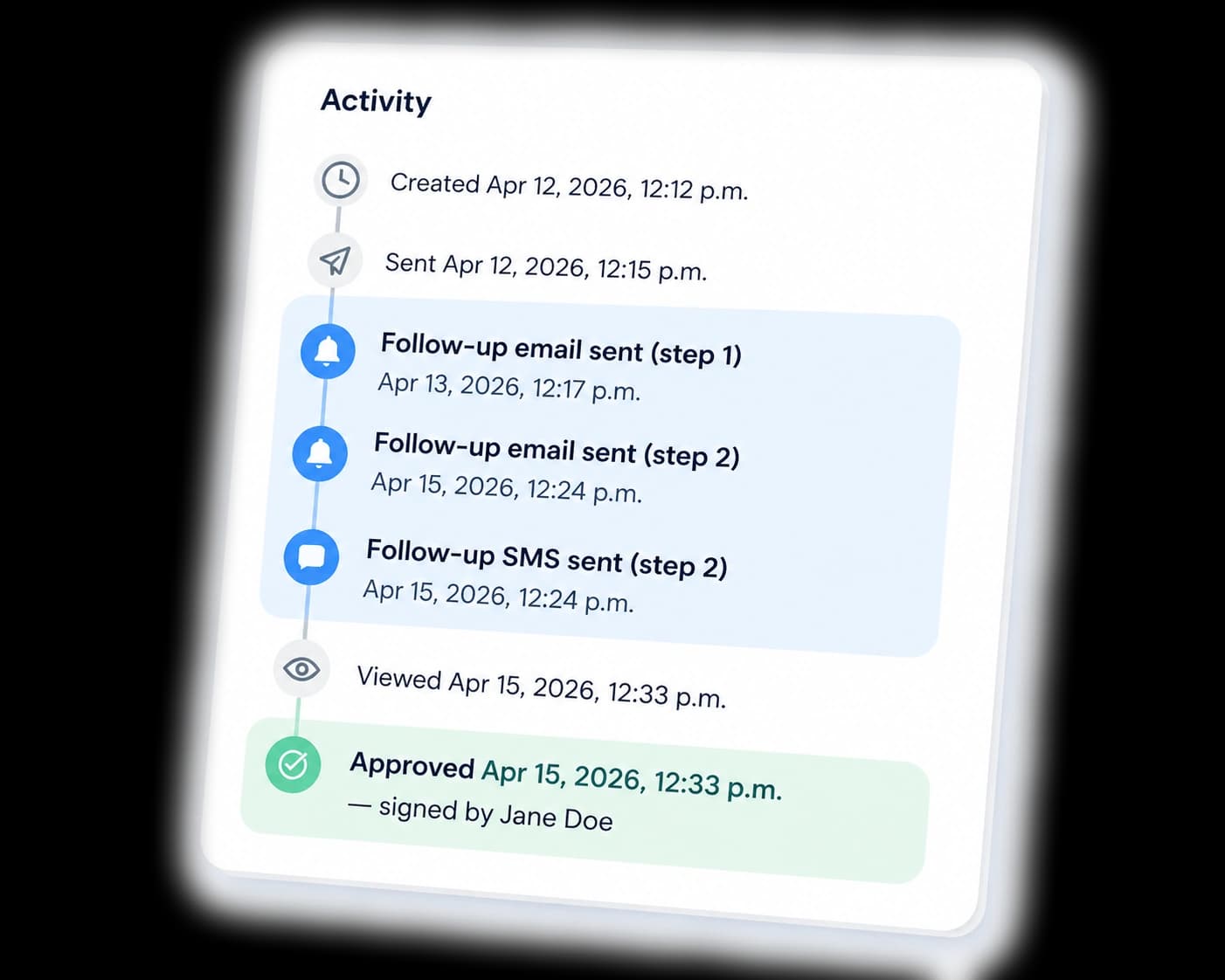
The default cadence
You can change any of this, but the defaults work for most contractors:
For quotes
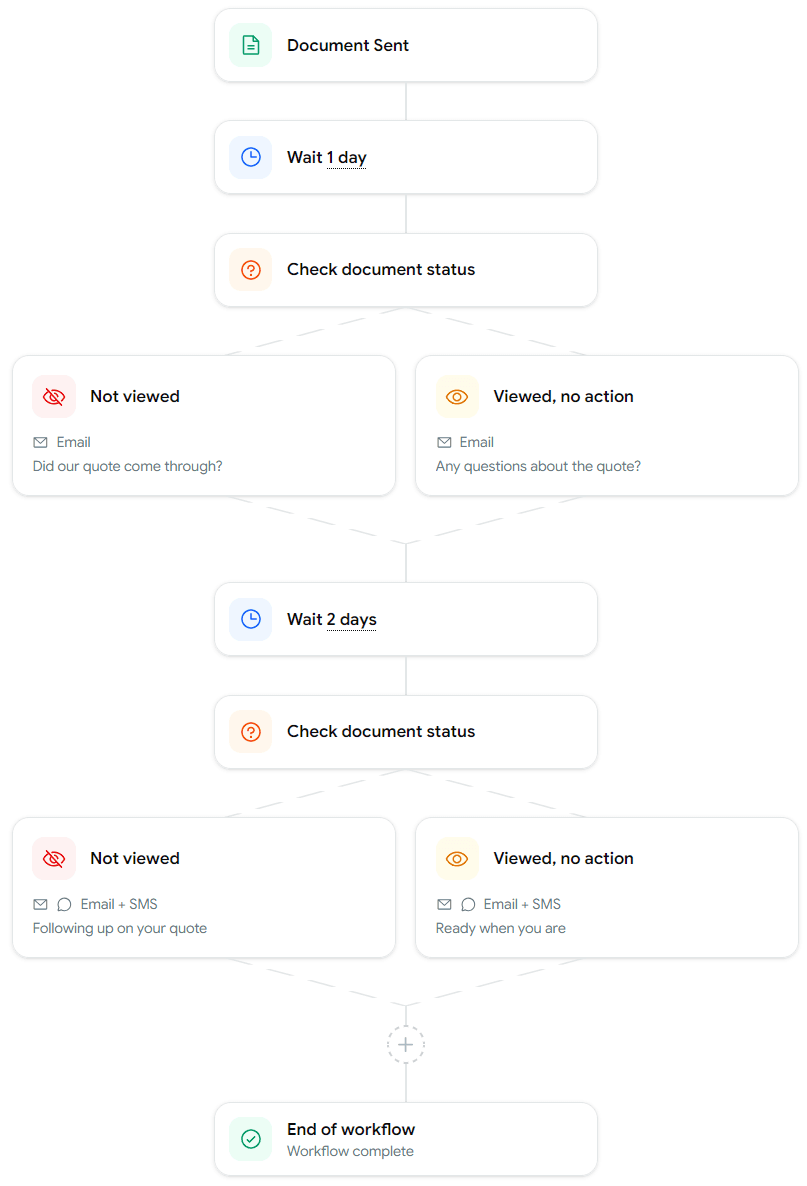
- 1 day after sending: "just checking you got this"
- 3 days after sending: "let us know if you have any questions"
For invoices
- 2 days after sending: friendly reminder with the payment link
- 5 days after sending: follow-up reminder with the payment link
Invoice follow-ups run from the day you sent the invoice, not from the due date. If you want more breathing room before chasing, push the delays out in settings.
When follow-ups stop automatically
Follow-ups cancel themselves the moment the status of the document changes. If the quote gets approved, declined, or expires, or the invoice gets paid or voided, no more messages go out.
Tuning the schedule
Open Follow-ups in the sidebar to change the cadence, reword the default copy, or switch a step off entirely. Changes apply to documents you send from that point forward.
Why this matters
The single biggest thing a contractor can do to get paid faster is follow up consistently. It feels pushy, so most people skip it and leave money on the table. QuoteQuick makes following up the default, not the exception, so you don't have to choose between chasing people and losing invoices.