
Branding your quotes and invoices
Small branding details make a big difference in how seriously a customer takes your quote. Set them up once.
A branded quote gets taken more seriously than a plain one. It's the same job, the same price, and the same person doing the work. But a customer looking at a document with your logo and colours on it sees a business, not a side hustle. Setting this up takes about five minutes and you only do it once.
1. Add your business details
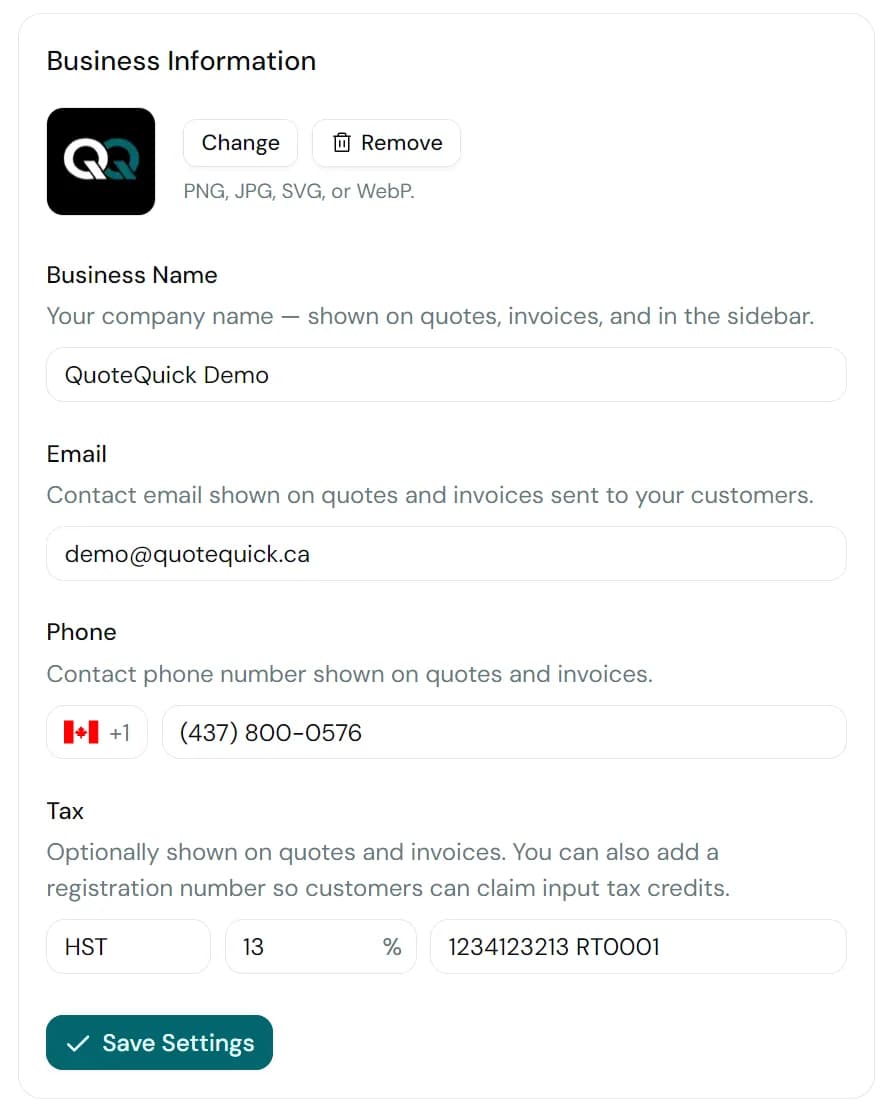
Open Settings. Fill in the business name you want to appear at the top of every document, plus your contact email and phone. If you're a sole-trader, use your trading name, not your personal name.
2. Upload your logo
In the same settings page, upload a logo. PNG, JPG, SVG, and WebP all work, up to 2 MB. A transparent PNG looks best. A square or wide rectangular logo both work fine. Aim for at least 400px on the short edge so it stays sharp on retina displays.
- PNG, JPG, SVG, or WebP, up to 2 MB
- Transparent PNG or SVG preferred
- 400px minimum on the shortest edge
- Avoid logos with a lot of fine detail, since they don't render well on small screens
3. Preview a quote
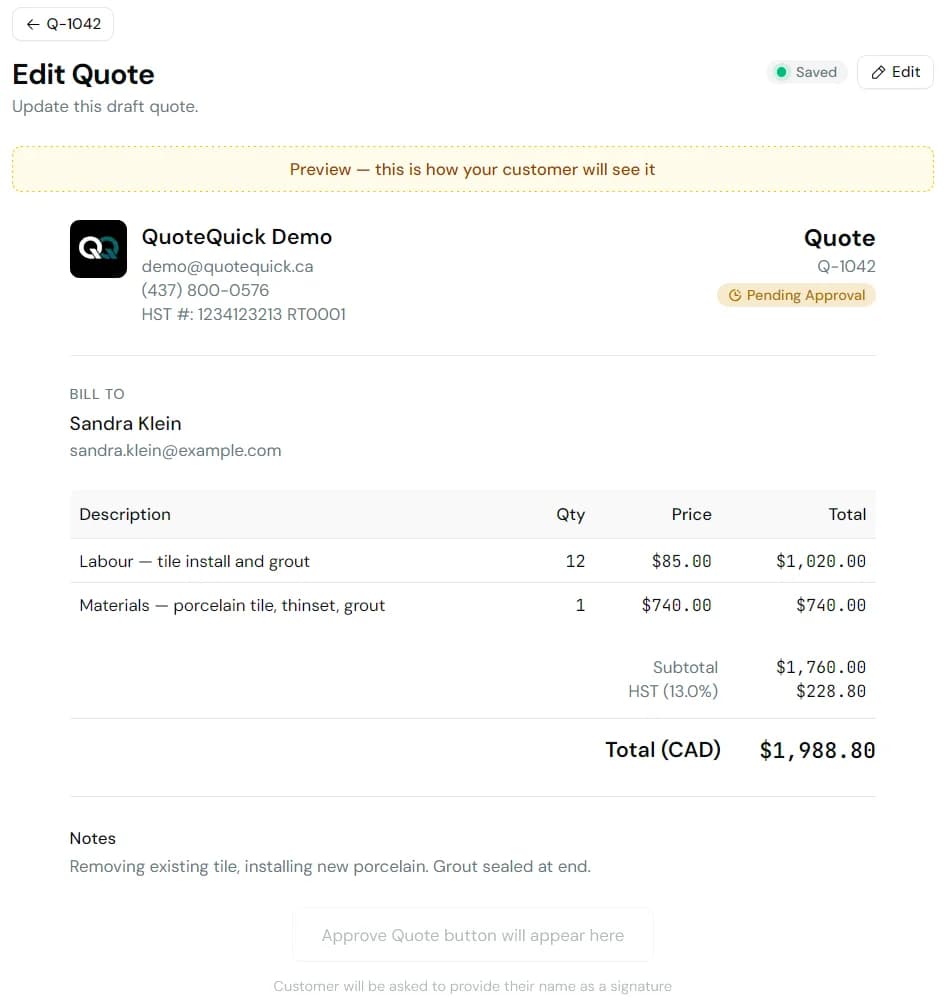
Create a draft quote with a single line item and toggle Preview in the editor. Check:
- Your logo sits cleanly at the top
- Your business name, email, and phone read correctly
- The totals and line items look right
Where your logo shows up
Once it's uploaded, your logo travels with every customer-facing message, not just the document itself:
- The quote or invoice page the customer opens
- The email that delivers the quote or invoice
- Every follow-up email that chases for approval or payment
Customers see your logo at the top of the email in their inbox, so they recognise who it's from before they even open it. That's the difference between "one more thing from a stranger" and "the quote I was waiting on."
That's it
Every quote and invoice you send from now on carries your logo and business name. Follow-up emails go out under your business name too, so customers always know who's contacting them. You won't need to touch any of this again unless your business details change.